By default, the audio guidance function is enabled out of the box to aid visually impaired users
in navigating the TV menus.
There may be times when it is turned on by mistake and can be very annoying to the user. However, it can be disabled during the initial setup process or later within the TV settings menu.
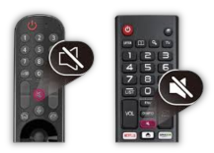
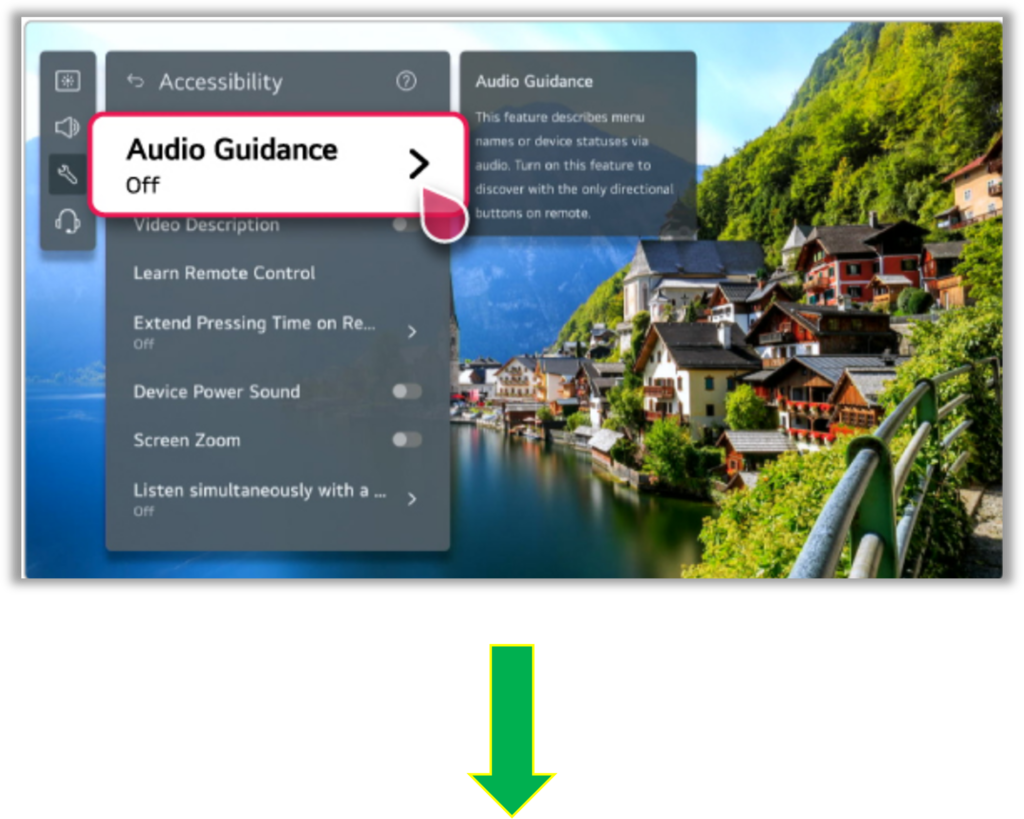
Press the Mute button repeatedly until the Accessibility Menu comes up.
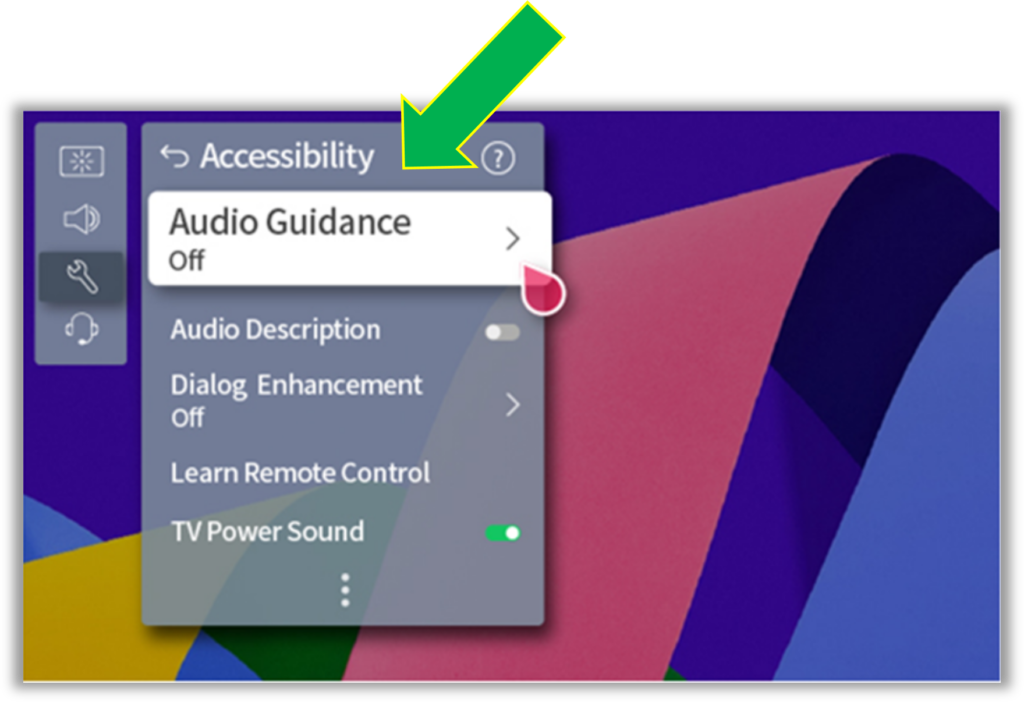
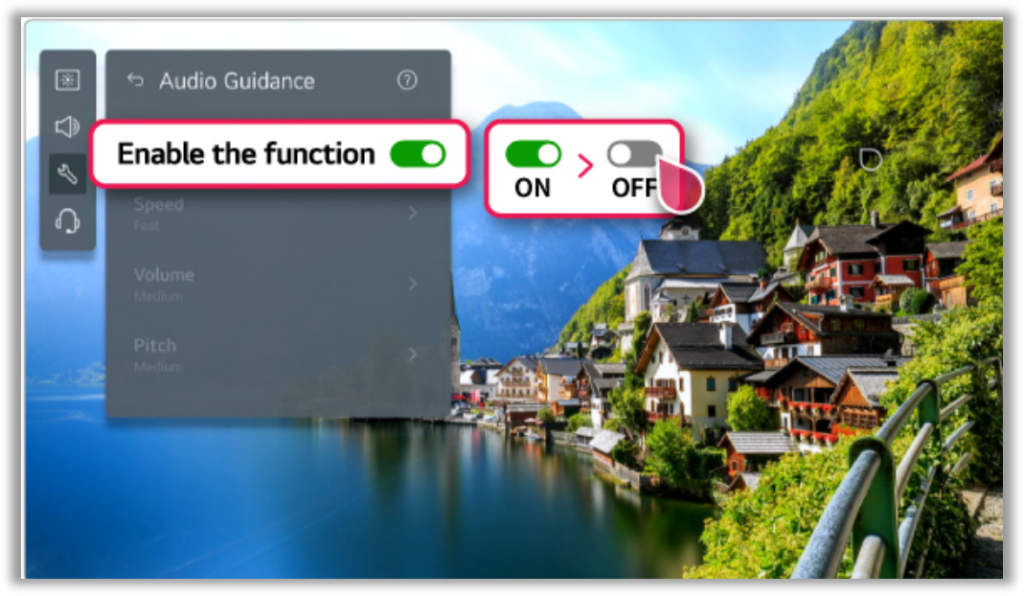
Toggle the Audio Guidance Off or On, then exit the menu.
Note:
The Menu layout may vary depending on the WebOS version and TV model, but the “Audio Guidance” will always be in the Accessibility section.
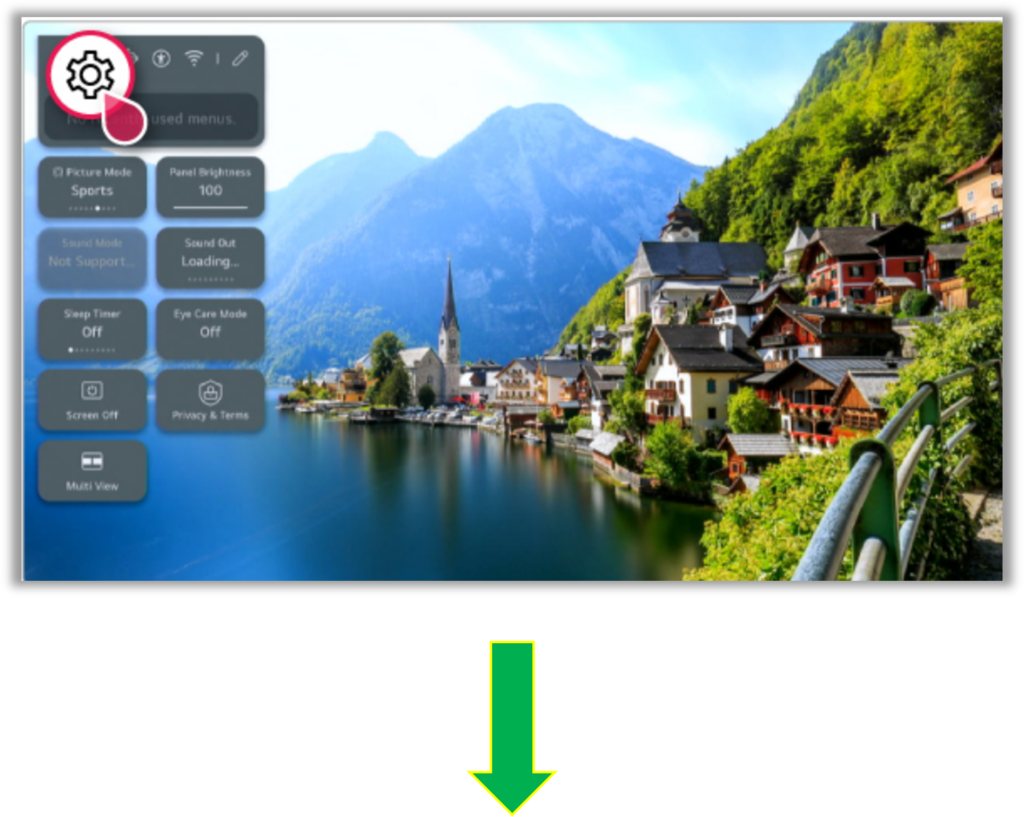
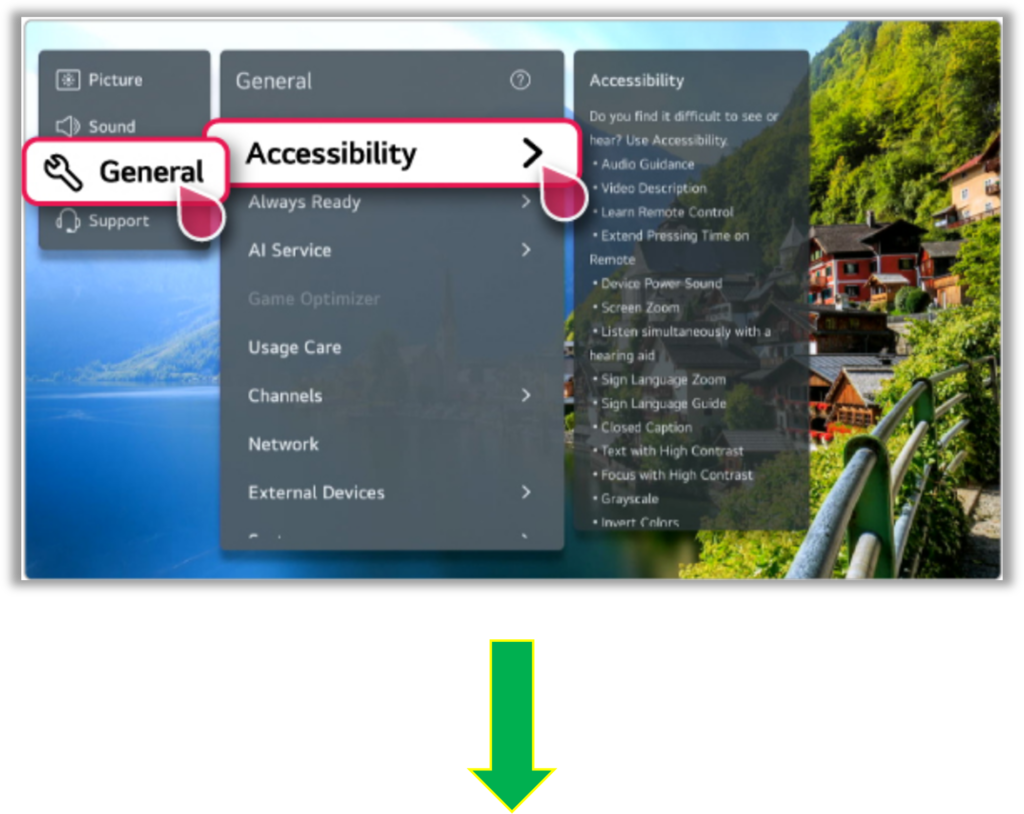
An alternate method will be to:
Click on Settings (the gear button) > and select All Settings, > then General > Then select Accessibility > click on “Audio Guidance”, Toggle On or Off.